

For anyone needing international dialing capabilities, they can use the following steps to self-request the feature be enabled. Once your account has been enabled for international dialing dial the number using the following format:
Dial 011 + Country Code + City Code (if applicable) + Phone Number
You can copy and paste international phone numbers from documents and web pages into the Microsoft Teams client rather than typing them. Please be aware that [ and ] are invalid characters in the Microsoft Teams client and you must include 011 at the beginning of the phone number to designate the number as an international call.
Spaces, dashes and () are valid characters that are normalized out, a person does not need to remove those.
- Workday Requisition
- Submit a Workday requisition for $0.00
- Use Supplier SPL-0000317 OTDI - Office of Technology and Digital Innovation to ensure that your requisition is routed appropriately.
- Visit the self service site located at http://ocio.osu.edu/selfservice and log in using your Ohio State Username and password. If you have trouble with your password please reset it at http://my.osu.edu or call the IT Service Desk at 614-688-HELP(4357).
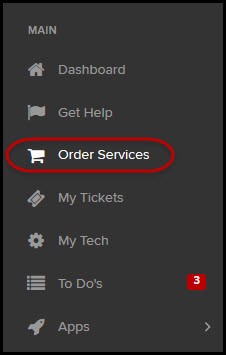
On the left side of the screen click Order Services.
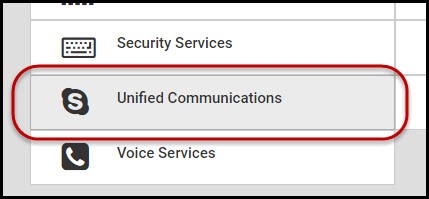
Within the service category find and click on the Unified Communications option.
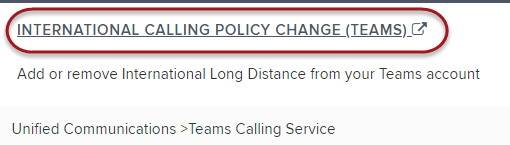
Click on International Calling Policy Change (Teams) request item.
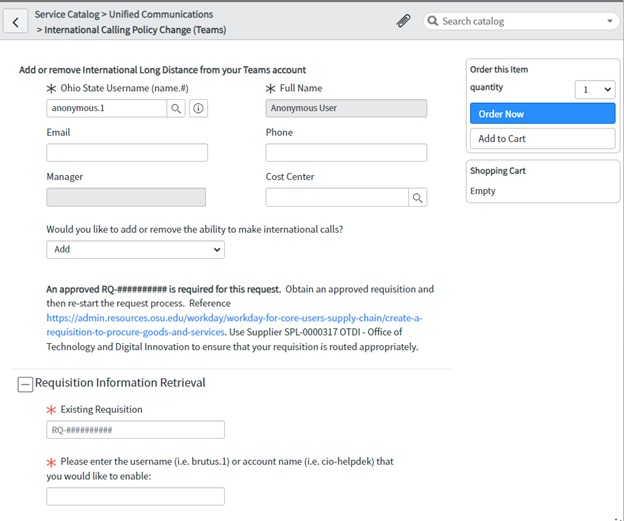
Fill in the requested information and submit the request.
Current international calling rates can be found in the AT&T Business Voice over IP Services guide on the ATT Website: AT&T Business Voice over IP Services
Rates are found starting near page 201.
P-6.8.2. Rate Table
Last modified: Apr 25, 2025